Wednesday, 27 November 2013

How to make USB Bootable for Windows 7 and 8 in Urdu & Hindi


How to make USB Bootable for Windows 7 and 8 in Urdu & Hindi

USB Bootable:

A common use of a bootable USB flash drive is to use it for booting into Windows. This can allow you to perform diagnostics on a computer that has hardware issues or can't boot into Windows. You can also use the flash drive to install Windows, instead of using the Windows installation CD.              

            This guide will outline making a bootable USB flash drive with Windows XP, Vista, and 7. Before we begin, it's important to note that the computer you want to use your bootable USB drive in will need to have the capability of booting to a USB drive. Most recent computers built since Windows Vista was released are capable of booting to a USB device. Prior to the Windows Vista timeframe, it's hit or miss with motherboards.

       To make the bootable USB drive for Windows Vista or Windows 7, you need to have Windows Vista or 7 installed on your computer. It is recommended that you have a flash drive of at least 4 GB in size, in order to store all the necessary files.

Note: Before you start, plug in the USB drive and backup any files you have stored on the USB drive. The drive will be formatted during this process and all files on it will be deleted.


"It is very Important to Install Window's From USB because many times We See that many many Peoples ask that their DVD/CD Rom drive is not Working Properly So they Wish to Install Windows by make it Boot able From USB Drive.So I m Sharing With You all this Process in a Video Lecture and I divided this Process in 2 Video Lectures Respectively below So follow the below Video Lecture and if you have any Question then Please just Comment in below Comment box.Share this Website With Your Friends Please"


Wednesday, 20 November 2013

How to Install Windows 8 in Urdu & Hindi Tutorial


How to Install Windows 8 in Urdu & Hindi Tutorial

Windows 8

Windows 8 is Microsoft's latest operating system that combines the tablet Modern UI interface with the traditional Windows desktop.


Overview:

With this trial of Windows 8, users have an opportunity to test a slick and solid operating system that promises to revolutionize the way you do everything, from browsing the web to viewing multimedia files.

This is the most ambitious operating system that Microsoft has ever created. By blending both a tablet interface and a traditional desktop interface, Microsoft hopes that Windows 8 can please everyone. But can it? Let's find out.


Modern Interface:
                
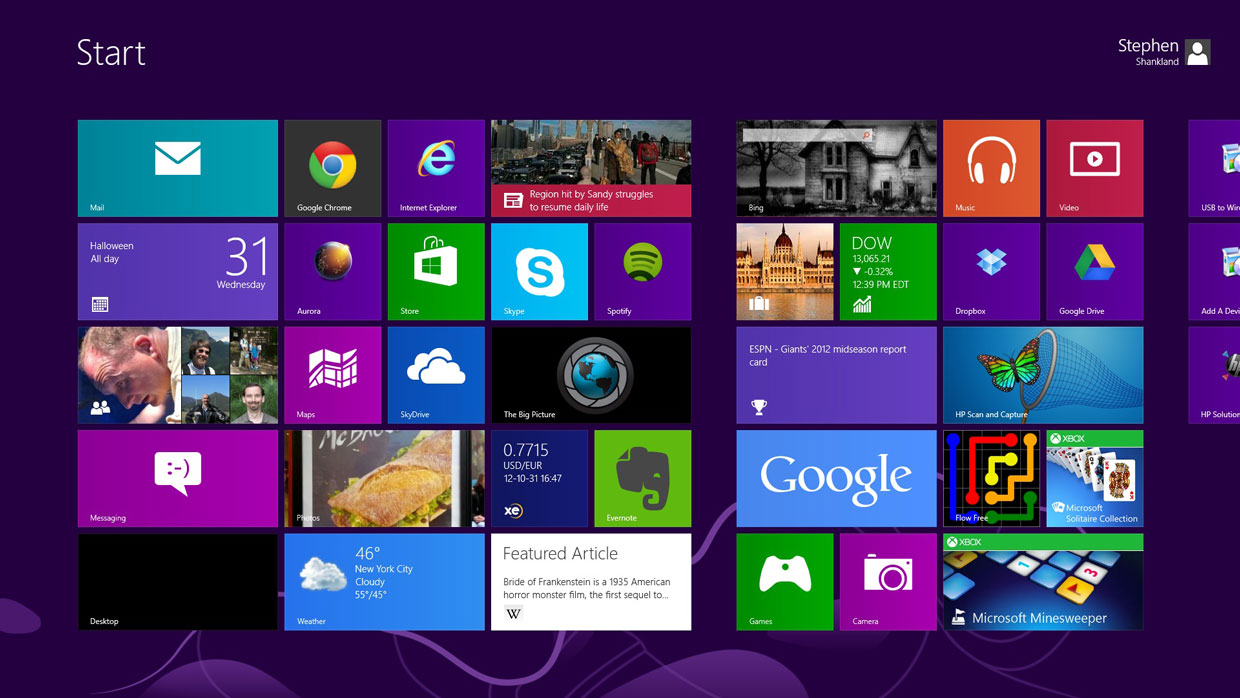
As seen in the numerous preview versions, the Windows 8 interface is one of the largest changes to the Windows operating system. Every app you install on the new Modern interface is shown in multiple colored squares on your screen. Each square acts as a shortcut to open the program or the corresponding directory. Each panel is also fully customizable, so you can group apps together.


New features Flash:

The use of Flash in Windows 8 is one of the primary updates. Working together, Microsoft and Adobe have created a situation-specific version of Flash that works with Internet Explorer 10. This ensures Flash will run when you want it do, such as during video play-back, but won't affect your PC's performance or battery life by running when unnecessary. This is especially important for Windows RT users who value battery life and performance on the go.


New apps:

There are also quite a few Windows Store expansions when it comes to apps included natively in the Modern interface. Bing has added apps for travel, sports and news, for example. There are also, of course, existing Modernapps that were released in conjunction with Windows 8. Some of these include Weather, Maps and Finance.


Surfing the web:
                 
Windows 8 ties up a lot of loose ends in terms of stability issues seen in its preview versions. There is also a new feature users can look forward to called Flip ahead, IE which uses crowd-sourcing to determine what web page you're the most likely to click on next during your web browsing. To advance, all you have to do is swipe the screen if you have touch screen capabilities or click the forward arrow onscreen to get to the next page. This feature works while searching Bing, of course, but is also compatible with other search engines, so long as you're using Internet 


Windows 8: system requirements:

  • Processor  1GHz or faster
  • RAM  1GB (32bit) or 2GB (64bit)
  • Hard disk space  16GB (32bit) or 20GB (64bit)
  • Graphics card  Microsoft DirectX 9 graphics device or higher


☺ Video Tutorial ☺


Monday, 18 November 2013

How to Check Complete Information about Your PC

How to Check Complete Information about Your PC

Check Computer Information:


Sometimes you need to get specific information about your Windows computer. For example, when you have problems with your PC and are talking to a technical support person. Quite often tech support ask you question like how much RAM you have, what’s the size of your hard drive, which graphic card have you got, etc. It’s really great if you can answer all these questions straight away. But what if you can’t? The answer is easy – all you need to do is open the Windows built-in System Information tool.
     If all you need is basic PC system information, like computer name, version of your OS, the amount of memory your PC has, then all you need to see is System Summary. However, if you are really computer-savvy and want to find some specific system information, like IRQs, you can expand Hardware Resources and click on the IRQs category.

System Information The System Information utility is easy to find:


Commercial Printing in Urdu & Hindi Tutorials

Commercial Printing in Urdu & Hindi Tutorials

Commercial Printing  For  Graphic Designers:

 Lithography was initially created to be an inexpensive method of reproducing artwork. This printing process was limited to use on flat, porous surfaces because the printing plates were produced from limestone. In fact, the word 'lithograph' historically means "An image from stone." or "Print from stone." Tin cans were popular packaging materials in the 19th century, but transfer technologies were required before the lithographic process could be used to print on the tin. The first rotary offset lithographic printing press was created in England and patented in 1875 by Robert Barclay. This development combined mid-19th century transfer printing technologies and Richard March Hoe’s 1843 rotary printing press—a press that used a metal cylinder instead of a flat stone. The offset cylinder was covered with specially treated cardboard that transferred the printed image from the stone to the surface of the metal. Later, the cardboard covering of the offset cylinder was changed to rubber, which is still the most commonly used material.
As the 19th century closed and photography became popular, many lithographic firms went out of business. Photoengraving, a process that used halftone technology instead of illustration, became the primary aesthetic of the era. Many printers, including Ira Washington Rubel of New Jersey, were using the low-cost lithograph process to produce copies of photographs and books. Rubel discovered in 1901—by forgetting to load a sheet—that when printing from the rubber roller, instead of the metal, the printed page was clearer and sharper. After further refinement, the Potter Press printing Company in New York produced a press in 1903. By 1907 the Rubel offset press was in use in San Francisco.
        The Harris Automatic Press Company also created a similar press around the same time. Charles and Albert Harris modeled their press “on a rotary letter press machine.


Friday, 1 November 2013

Adobe Photoshop Cs6 Full Tutorials in Urdu & Hindi

Adobe Photoshop Cs6 Full Tutorials in Urdu & Hindi


What is Photoshop CS6?

                Photoshop CS6 brings many new useful options and features and is receiving positive feedback from Photoshop users ( designers, beginners and professional photographers). It has many features, tools and functions that are as same like Photoshop CS5. It has many new features and has improved existing features including: vector layers, Wide Angle filter, Patch tool, Move tool and so on. In Photoshop CS6 the best improvements are Vector Tool-set and 3D tools. You’ll see high performance of this Photoshop version, it is the most efficient and useful Photoshop ever. Although it is efficient and offers many new exciting features, but it does require great skills before using this. You can develop and improve your skills by following some useful and important tutorials. Here, we round up the very best tutorials, you can follow these step by step tutorials that not only offer you to develop your skills but will also save your time and energy. These are the most recent Photoshop tutorials aimed at CS6 users. You should skim this collection and try out these tutorials that will catch your eye.


Video Tutorial # 1


Video Tutorial # 2


Video Tutorial # 3


Video Tutorial # 4


Video Tutorial # 5


Video Tutorial # 6


Video Tutorial # 7


Video Tutorial # 8


Video Tutorial # 9


Video Tutorial # 10


Video Tutorial # 11


Video Tutorial # 12


Video Tutorial # 13


Video Tutorial # 14


Video Tutorial # 15


Friday, 25 October 2013

Photoshop CS5 Full Learning Video Tutorials in Urdu & Hindi


On this blog we previously published complete courses of Photoshop 7.0 in Urdu & Hindi and also Photoshop CS4 in Urdu & Hindi. However, now the time is to share a  complete course of PS CS5 with you guys. I recently created this complete course and I earlier uploaded it to YouTube. So Now it is being shared with  you here in a single playlist straight from my YouTube channel. While watching this playlist of video tutorials, you’ll learn all the tools and options of  Photoshop CS5 and also you’ll learn the important menus of CS5.

Photoshop CS5 Full Learning Video Tutorials in Urdu & Hindi

What’s new in Photoshop CS5?


    As every one liked Photoshop 7.0 the simplest and faster graphic designing software, but as time passed things get changed. Therefore, you need  to have a look at every new technology comes out in the market. Photoshop CS5 is the advanced version of all Adobe Photoshop CS versions. This includes  many new options such as the entire software interface is a new one, and there are many effects, options are added to CS5′s library by Adobe.

     Photoshop CS5 is not the last version of Photoshop, there is CS6 which is the most recent version of Photoshop which is a little bit more advance than CS5.  That new version will also be published on this blog very soon. However, for now you can enjoy learning Photoshop CS5. Here it is, the complete playlist of video tutorials in Urdu language, just start the first video and the another one will play automatically. There are total 40 video tutorials in this playlist.


Complete Tutorial's (40 Video's)


Note: All videos are hosted on YouTube.com, so if you are in Pakistan then first open YouTube and then watch these videos.

Photoshop CS4 Complete Video Course in Urdu & Hindi

Photoshop CS4 Complete Video Course in Urdu & Hindi
Photoshop’s CS versions are great to use for graphics designing. Photoshop 7.0 was a great software and ran for a long time. It was very simple and easy to use. But later on, Adobe introduced Photoshop CS version and till now CS6 is the newest version of Photoshop series. I already published complete video tutorial on Photoshop 7.0 in Urdu and Hindi language. While today I am going to share a complete video course of Photoshop CS4 with you guys. This course is also in Urdu and Hindi language and you can learn it by watching below playlist of video tutorials. This course is created by Irfan Wazir Ali who makes video tutorials mostly on graphics designing software and I have also a plan to make complete video course of Photoshop CS5 or CS6 very soon.


Photoshop Tutorials in Urdu:

       So in this series of tutorials you’ll learn Photoshop CS4 complete with a single playlist, this playlist contains dozens of video tutorials, you need to just watch one video tutorial and the another will be played automatically. As I already mentioned that this course is not created by me, but I’m will be publishing a Complete Photoshop CS5 course just within few days, because I’ve already created that and I’ve also uploaded that to YouTube.com. There are more than 16 video tutorials in my upcoming Photoshop CS5 complete course, so I hope you’ll like that as well. But for now you can enjoy learning PS CS4.


Complete Photoshop Cs4 Tutorial (16 Video's)


Note: All videos are hosted on YouTube.com, so if you are in Pakistan then first open YouTube and then watch these videos.