
Saturday, 25 October 2014

How To Invite All Friends On Facebook Page

How To Select All Friends in facebook in The Invitation Box??? Inviting Friends is a Major Part of Facebook Life. We Usually Invites Our Maximum Facebook Friends To Like Our Fan Page or To Participate in an Even. Facebook Dose Not Provide Any Direct Option To Select All our Freinds To Invitation Recipients, So We Have to Select One by One Bt Tick Marking on Each on Each of Them. Thus It's Difficult Task to Invite All our Friends.Friends So Follow This Video and Easly You are Invite Your all Fb Friends in FB page.
Saturday, 20 September 2014
How To Download Firefox Without Using Internet Explorer

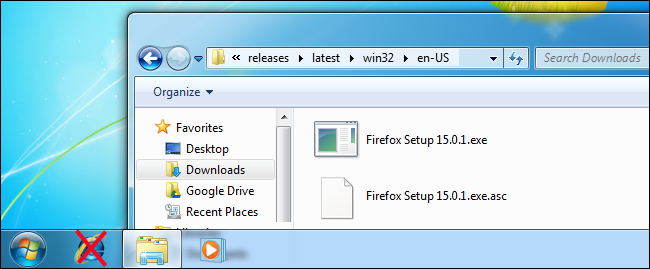
Internet Expolere-Hater Often Say That The Only GooD Use 4 Internet Explorer is Downloading Firefox or Chrome. But if You Really Don't like IE, You Can Use Window's Built-in FTP Support To Download and Install Firefox Without Ever Opening IE. Sure, You Could Just Open Internet Explorer and Download Firefox Frrom Mozilla website. But Where The Geeky Fun in That? This Trick is About Firefox Beacuse Mazilla Provides an FTP Server, While GooGle Does Not Seem to Downloading Firefox Without Using Internet Explorer May Also Come in Handly if Internet Explorer is Crashing ans is not Working Properly on Your System.
Graphical Method With Windows Explorere:
To Access Mozilaa FTP Server in Windows Explorer, Type ftp://mozilla.org into Explorer Address Bar and Press Enter.

Navigate to the following Folder.
pub/firefox/releases/latest/win32/en-US/
You Can Also Just Enter The Following Address in Windows Explorer to Go Directly To The Appropriate Folder on Mozilla FTP Server.
ftp://ftp.mozilla.org/pub/firefox/releases/latest/win32/en-US/
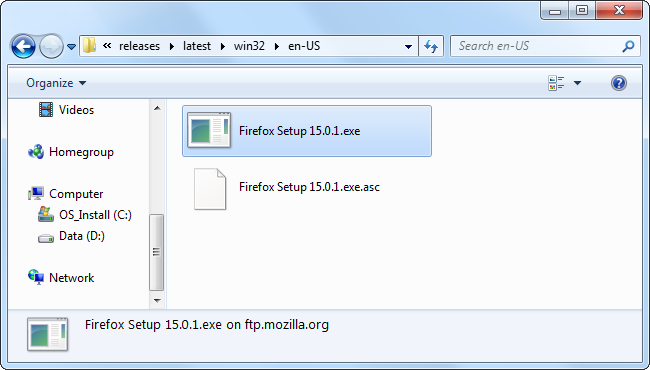
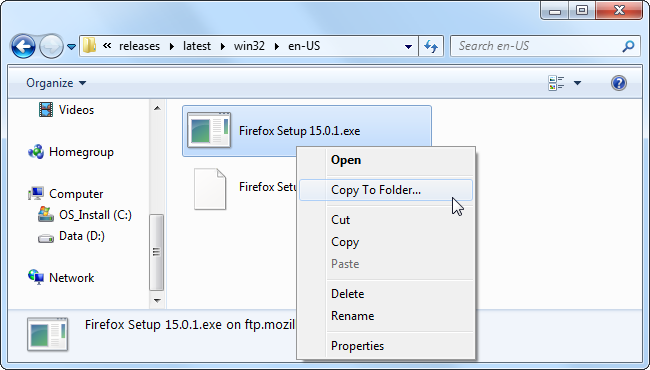
Now Copy The Firefox setup.exe File To Your Computer, You Can Drag & Drop It, Use The Copy to Folder Option in Its Right-Click Menu, or Do a Copy and Paste.
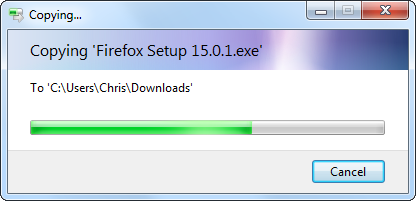
Window Explorer Will Download The Firefox Installer To Your Computer, No IE Involved.
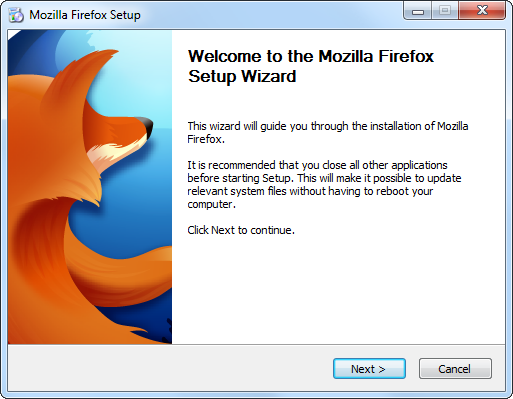
You Can Then Launch The Fire Steup Application to Install Fiefox.
Command Line Method With Command Prompt:
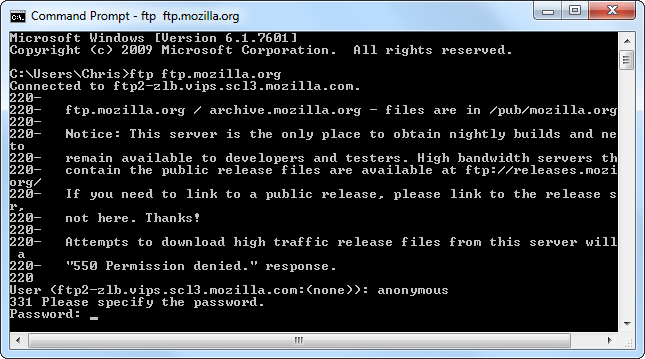
If The Above Trick Was Not Geekly Enough For You, You Can also Download Firefox Using the ftp Utility in The Windows Command Prompt. Launch a Command Prompt Window From The Start Menu and Type The Following Command to Connect To Nozilla FTP Server..
fttp ftp.mozilla.org
Type Anonymous at the Login Prompt, Then Leave The Password Field Balnk & Press Enter
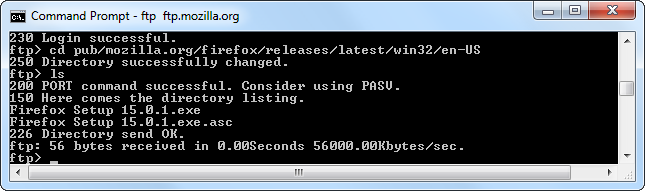
Use The Following Command to Change to The Directory Containing The Lates Release of Firefox:
cd pub/mozilla.org/firfox/releases/latest/win32/en-USg
Then, Run The Following Command to See a List of The Files in The Diresctory:
Is
Use The Get Command to Download The Latest Firefox Installer to Your Hard Driver:
get "Firefox Setup 15.0.1.exe"
Replace the File Name in The Above Command with the Name of The Current Version, This is Displayed Beneath Is Command.
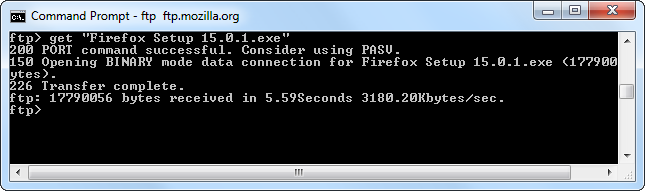
The Download Firefox Setup.exe file Will Appear in Your User Folder ar C:\Users\NAME.
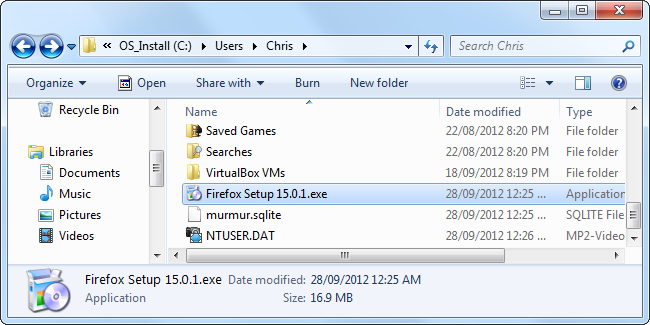
You Can Also Use Windows Explorer and the ftp Command to Connect to Other FTP Servers You Have Access to if You Have Upload Access to an FTP Server, You Can Use These Tools to Upload Files- You Don't Necessarily Need a Third-Party FTP Program.
Friday, 12 September 2014


Tuesday, 9 September 2014


Wednesday, 13 August 2014
How to Download Utorrent and Use of Utorrent


Torrents Are Now a Days The Best Way of Downloading Large Files From The Internet. That is Beacuse It's a Much Faster Way Than Using The Regular FTP & HTTP SerVice. Not To Mention The Fact That Inter-putted Download Can Be Resumed at Any Moment. What's More, The Number of Torrent Websites is Rising More and More and Anyone Can Find a Large Number of File Types on These Websites. But in Order to Benefit From All That The Torrent Technology Offers, You will First Need a Torrent Client That Can Handle Downloads. There Are a Lot of Clients on The Market, But None of Them Match The Well Know uTorrent Application. So Now I tell How to Use Torrent in Urdu and Hindi So Follow the Video. I Hope You are Enjoy This Video.
Subscribe to:
Posts (Atom)